

We have officially moved past the era where artificial intelligence was a speculative talking point reserved for tech conferences AI Tools and sci-fi films. Today, it is quietly embedded in the fabric of our daily routines. Whether you are pounding out a late-night email, digging through a dense industry report, organizing a chaotic project board, generating marketing visuals, or hunting down a bug in a line of code, AI has fundamentally shifted from a curiosity into a practical workplace utility.
Yet, the sheer speed at which these platforms are multiplying has created a different kind of headache: option paralysis.Navigating the AI Explosion: Finding the Digital Assistant You Actually Need.
Every week brings the launch of another “game-changing” platform, making it nearly impossible to tell which software actually delivers long-term value and which is just an overhyped wrapper around a basic language model. The biggest mistake you can make right now is picking a tool simply because it is trending on social media. AI software isn’t one-size-fits-all; an algorithm optimized for deep textual analysis won’t help a creative director storyboard an ad campaign, and a workspace organizer won’t help a software engineer refactor a complex API.
To build a setup that actually saves you time without cluttering your workflow, you have to start with a simple question: Where does the friction live in your workday?
Here is a ground-level, realistic breakdown of five distinct AI platforms, how they function in real-world scenarios, and how to choose the right one for your specific needs.
1. ChatGPT Enterprise: The Versatile Multi-AI Tool for Scaled Teams
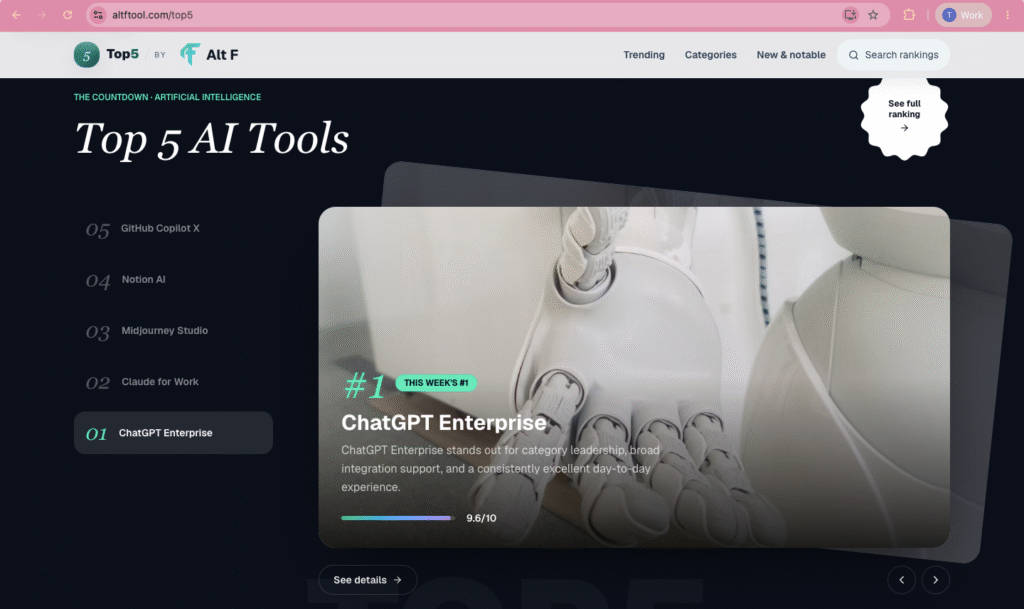
When an entire organization wants to deploy AI across wildly different departments without forcing employees to master five different niche programs, ChatGPT Enterprise remains the gold standard for flexibility. Rather than specializing in a single narrow function, it acts as an adaptable digital workplace assistant capable of handling everything from quick copy editing to complex data manipulation.
How It Works in Practice
What makes the Enterprise tier distinct from consumer-grade AI is its balance between raw capability and administrative governance. Large organizations cannot afford to have proprietary data leaked into public training sets. ChatGPT Enterprise offers a secure environment where corporate data remains private, backed by centralized user management, Single Sign-On (SSO), and higher performance speeds.
The real strength of the platform lies in its cross-departmental utility:
- Marketing & Sales: Teams can quickly draft campaign variations, analyze customer persona data, or build custom GPTs trained on their specific brand guidelines to generate on-message outreach sequences.
- Operations & HR: Employees can upload messy, unstructured CSV files or long policy documents and use natural language to clean the data, generate summaries, or draft standard operating procedures (SOPs).
- Customer Support: Organizations can construct specialized internal knowledge bots that allow representatives to query company documentation instantly while on live calls
ChatGPT Enterprise is best suited for medium-to-large businesses looking for a single, reliable AI deployment. It eliminates the need for employees to constantly switch between separate single-purpose apps, providing a familiar, conversational workspace for an entire workforce.
2. Claude for Work: Built for AI Tools Complex Logic and Long-Form Writing
┌─────────────────────────────────────────────────────────────────────────────┐
│                       CLAUDE FOR WORK: AT A GLANCE                          │
├───────────────────────┬─────────────────────────────────────────────────────┤
│ PRIMARY FOCUS         │ Extended context handling, deep logical reasoning, │
│                       │ and articulate, human-sounding text generation.     │
├───────────────────────┼─────────────────────────────────────────────────────┤
│ KEY STRENGTH          │ Processes massive documents (contracts, books, code)│
│                       │ without losing track of subtle details or tone.     │
├───────────────────────┼─────────────────────────────────────────────────────┤
│ BEST SUITED FOR       │ Lawyers, researchers, policy analysts, strategists, │
│                       │ and executive communicators.                        │
└───────────────────────┴─────────────────────────────────────────────────────┘
While many AI tools are designed for rapid, short-form interactions, Claude for Work takes a fundamentally different approach. It is built for tasks that require deep focus, careful reading, high-level reasoning, and articulate output. If your workday revolves around reading 80-page PDFs or writing nuanced, strategic communications, this platform feels less like an automated chatbot and more like an intellectual thought partner.
How It Works in Practice AI Tools
One of Claude’s defining technical advantages is its massive context memory. You can feed it entire legal contracts, dense financial filings, or multi-chapter research papers in a single prompt. Instead of skimming the surface or missing subtle clauses, the model maintains a strong grasp over the entire text, allowing you to ask hyper-specific questions about fine print buried on page 62.
Furthermore, Claude is widely recognized for generating writing that sounds remarkably natural:
- Deep Document Analysis: Upload a stack of stakeholder feedback transcripts, and Claude can synthesize the overlapping themes, identify hidden points of friction, and draft an executive summary.
- Nuanced Content Creation: Whether you are drafting a delicate PR statement, a formal grant proposal, or a complex policy memo, Claude avoids the robotic, formulaic phrasing that plagues many other AI tools. It handles tone, subtext, and structural flow with surprising sophistication.
- Side-by-Side Artifacts: The platform’s interface features dedicated workspace windows (“Artifacts”) alongside the chat, letting you edit, reformat, and tweak documents or web code in real time without losing your conversational place.
Claude for Work is the premier choice for knowledge workers, legal professionals, academics, and executives. It is designed specifically for people whose jobs depend on deep reading, critical analysis, and polished, professional writing.
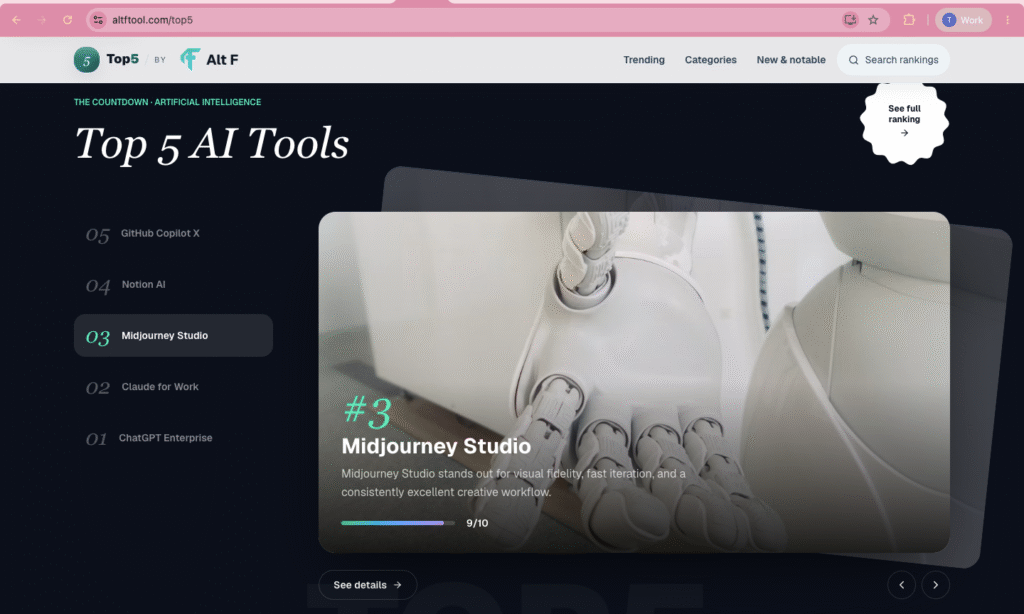
3. Midjourney Studio: The Ideation Powerhouse for Visual Creators AI Tools
Productivity isn’t exclusively about text documents, spreadsheets, and emails. For graphic designers, art directors, product designers, and marketing strategists, generating the right visual concept can be just as labor-intensive as writing an essay. Midjourney Studio caters directly to this creative space, turning written ideas into high-fidelity digital imagery.
How It Works in Practice AI Tools
Midjourney does not operate like a traditional photo editing software where you adjust pixels manually using brushes and layers. Instead, it acts as a creative conceptualizer. You provide a descriptive text prompt detailing the subject, lighting, mood, camera angle, and artistic style, and the platform renders multiple high-resolution interpretations within seconds.
This radically changes the early stages of the creative process:
- Rapid Concepting & Storyboarding: Rather than spending days building a preliminary mood board or searching through generic stock photo sites for a client pitch, creative teams can test dozens of visual directions in an hour.
- Custom Marketing Imagery: Marketers can generate unique lifestyle imagery, abstract backgrounds, and visual mockups tailored precisely to a product’s brand identity.
- Fine-Grained Styling Control: Through advanced parameters, creators can specify exact camera lenses (e.g., 35mm film), lighting conditions (e.g., golden hour volumetrics), and artistic mediums (e.g., watercolor, architectural render, or photorealism).
Midjourney Studio is an invaluable tool for visual storytellers, agencies, and designers. While it doesn’t replace final production design software, it dramatically speeds up early-stage ideation, helping creative professionals move from abstract concept to visual reality with minimal friction.
4. Notion AI: The Context-Aware AI Tools Assistant Built into Your Workspace
┌─────────────────────────────────────────────────────────────────────────────┐
│                           NOTION AI WORKSPACE                               │
├─────────────────────────────────────────────────────────────────────────────┤
│  [ Existing Infrastructure: Project Boards, Meeting Notes, Wikis, Docs ]    │
│                                                                             │
│  ├──► Contextual Search: Query your entire company database instantly       │
│  ├──► Auto-Formatting: Turn raw, messy meeting notes into action items      │
│  └──► Inline Editing: Summarize, rewrite, and draft directly on the page    │
└─────────────────────────────────────────────────────────────────────────────┘
The primary downside of using standalone AI tools is the constant context-switching. You copy notes out of your project manager, paste them into an AI chat window, prompt the tool, copy the result, and paste it back into your workspace. Notion AI solves this problem by embedding artificial intelligence directly into the workspace where your team’s documents, projects, and wikis already live.
How It Works in Practice AI Tools
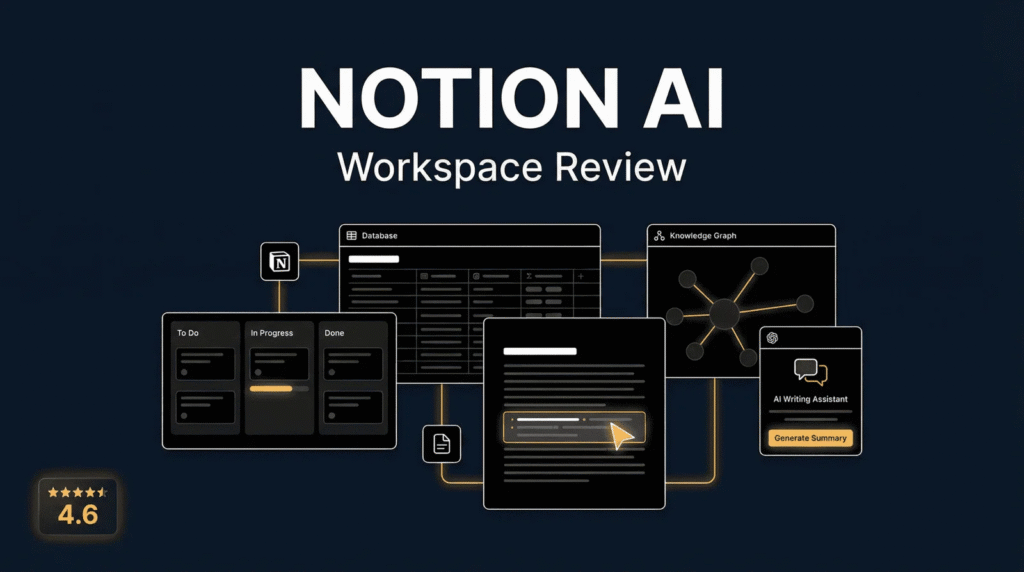
Because Notion AI operates directly within your database, it possesses inherent context about your projects that standalone tools lack. It doesn’t just process the text you give it; it can pull context from connected pages across your entire company workspace.
This seamless integration yields massive daily efficiency gains:
- Instant Workspace Search: Instead of digging through dozens of nested folders to find a project update, you can simply ask the AI, “What were the key takeaways from last Tuesday’s product sync?” and receive an answer drawn from your team’s actual notes.
- Automated Data Formatting: After a long meeting, you can highlight a page of raw, messy bullet points and instruct the AI to extract action items, assign owners, and organize the output into a clean, tagged database table.
- In-Line Writing & Editing: Highlight any paragraph on a document page to instantly adjust its tone, translate it into another language, fix grammar, or expand on an idea without ever leaving the document.
Notion AI is a no-brainer for individuals and organizations that already use Notion as their central operational hub. It removes the friction of jumping between applications, turning your static knowledge base into an active, interactive assistant.
5. GitHub Copilot X: The Developer’s Pair Programmer
For software engineers, true productivity comes down to maintaining a uninterrupted flow state. Constantly stepping away from the code editor to look up syntax, check API documentation, or write repetitive boilerplate code breaks concentration. GitHub Copilot X addresses this by integrating directly into code editors like VS Code, acting as an AI pair programmer.
How It Works in Practice

Copilot X operates in real time right alongside the developer. As you type a function or write a comment explaining what you want to build, the AI analyzes the surrounding codebase and suggests complete lines—or entire functions—of code in real time.
This fundamentally alters the software development workflow:
- Reducing Boilerplate Fatigue: Developers spend significantly less time writing repetitive setup code, data structures, and standard unit tests, allowing them to focus on high-level architecture and logic.
- Navigating Unfamiliar Stacks: If a developer needs to write a script in a language or framework they aren’t fully fluent in, they can write a comment in plain English describing the goal, and Copilot will generate the corresponding syntax.
- In-Editor Debugging & Explanations: Highlight a confusing, inherited block of code and ask Copilot to explain its logic step-by-step, spot potential memory leaks, or suggest cleaner, refactored alternatives.
GitHub Copilot X is an essential asset for software engineers and technical teams. It doesn’t write entire software applications independently, but it eliminates hours of tedious syntax lookups, keeping developers in their flow state longer.
Comparison Matrix: Picking Your Ideal AI Tool
┌────────────────────┬────────────────────────────┬───────────────────────────┬───────────────────────────┐
│ PLATFORM           │ CORE SPECIALTY             │ IDEAL USER BASE           │ PRIMARY ADVANTAGE         │
├────────────────────┼────────────────────────────┼───────────────────────────┼───────────────────────────┤
│ ChatGPT Enterprise │ Versatile cross-department │ Scaled businesses &       │ Secure, broad utility     │
│                    │ problem solving            │ multi-disciplinary teams  │ across endless tasks      │
├────────────────────┼────────────────────────────┼───────────────────────────┼───────────────────────────┤
│ Claude for Work    │ Long-context analysis &    │ Researchers, writers,     │ Unmatched natural tone    │
│                    │ deep logical reasoning     │ lawyers, & analysts       │ & deep document handling │
├────────────────────┼────────────────────────────┼───────────────────────────┼───────────────────────────┤
│ Midjourney Studio  │ Generative visual creation │ Graphic designers,        │ Industry-leading          │
│                    │ & artistic concepting      │ art directors, & agency   │ aesthetic quality         │
├────────────────────┼────────────────────────────┼───────────────────────────┼───────────────────────────┤
│ Notion AI          │ Embedded documentation     │ Teams using Notion for    │ Zero app-switching;       │
│                    │ & project management       │ knowledge base management │ direct database context   │
├────────────────────┼────────────────────────────┼───────────────────────────┼───────────────────────────┤
│ GitHub Copilot X   │ In-editor software         │ Software developers &     │ Autocompletes code to     │
│                    │ development assistance     │ engineering teams         │ preserve flow state       │
└────────────────────┴────────────────────────────┴───────────────────────────┴───────────────────────────┘
The Reality of Modern AI: Partner, Not Replacement

As powerful as these platforms have become, it is crucial to maintain a grounded perspective on what AI can and cannot do. None of these tools are designed to put your work on complete autopilot, nor should they be trusted unconditionally.
AI models do not “think” in the human sense; they predict patterns based on vast amounts of data. They can write convincing nonsense, misinterpret complex context, or generate code that looks elegant but fails in production.
The most successful professionals view AI as an amplification tool, not a surrogate brain.
The real magic happens during the starting phase of a project—what creatives often call “killing the blank page problem.”
- A blank document becomes a structured outline in 30 seconds.
- A messy pile of meeting notes becomes an actionable project checklist instantly.
- A vague visual concept turns into a rough storyboard render during a quick coffee break.
- A tedious coding setup task gets autocompleted in a few keystrokes.
By offloading the initial heavy lifting to the right AI tool, you save your energy for what actually matters: applying critical thinking, exercising editorial judgment, refining details, and infusing your unique perspective into the final product.
Where Should You Start?
If you are feeling overwhelmed by the sheer number of choices, do not attempt to overhaul your entire workflow overnight.

Pick one specific task that consistently drains your time and energy—whether that is drafting routine emails, summarizing meeting transcripts, generating ad concepts, or looking up coding syntax. Choose the single tool from this list that directly targets that friction point, and experiment with it for two weeks.
Once you experience firsthand how much time a well-chosen AI tool can return to your day, you can gradually expand your toolkit. Used intentionally, these platforms stop being mere novelties and become what they were always meant to be: powerful extensions of your own capability.
FAQ’S
1. What are the best AI tools for everyday productivity?
ChatGPT Enterprise, Claude for Work, Notion AI, Midjourney Studio, and GitHub Copilot X are useful for different productivity needs.
2. Which AI tool is best for writing and research?
Claude for Work is a strong option for detailed writing, research, and working with longer documents.
3. Which AI tool is best for creating images?
Midjourney Studio is a popular choice for generating creative and visually detailed images.
4. Which AI tool is best for developers?
GitHub Copilot X is designed to help developers write code, explore solutions, and reduce repetitive coding work.
5. How do I choose the right AI tool?
Choose based on your daily needs, such as writing, business tasks, visual creation, organization, or coding.

The Best AI Tools Reviews AI Tools, Features, & More
Artificial intelligence has moved from something that sounded futuristic to something many AI Tools people…

Best AI Updates Latest Artificial Intelligence News & Trends
Artificial intelligence AI Updates is changing so quickly that something considered new today can feel…
Productivity Guide 2026: Tips, Tools & Habits for Better Focus
We have all experienced Productivity those exhausting workdays that end in a strange sense of…

Best ChatGPT Prompts 2026 Powerful Prompts to Try
Getting exceptional, highly nuanced output from ChatGPT is not about learning complex code, memorizing obscure…