
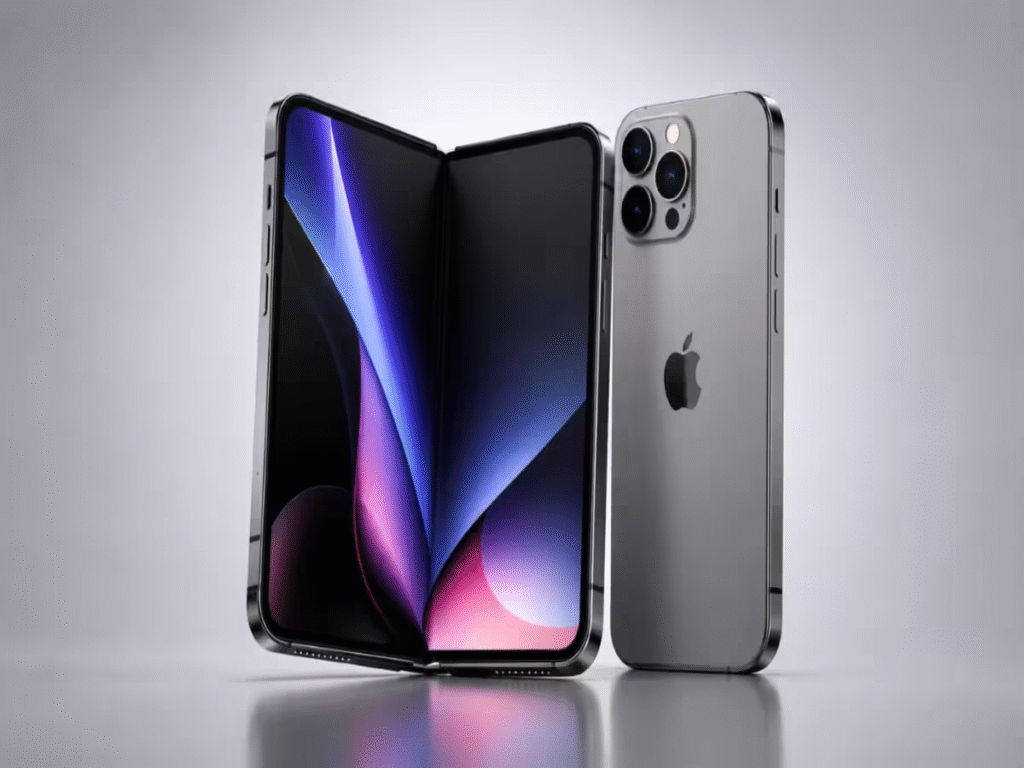
Artificial Intelligence is no longer just a futuristic headline or an experimental feature tucked away in a developer settings menu. In 2026, AI has become the quiet, indispensable backbone of everyday smartphone interaction. Nowhere is this transformation more evident than on the iPhone, where advanced on-device neural engines and deep cloud integrations have turned a simple handheld glass rectangle into an active, thinking digital partner.
From drafting intricate corporate correspondence during a morning commute to cleaning up background distractions in a cherished family photograph, AI apps are executing tasks in milliseconds that previously required dedicated desktop software and hours of tedious manual labor.
The modern App Store ecosystem has expanded rapidly, offering hundreds of tailored AI solutions. However, navigating this vast marketplace requires understanding which tools offer true utility and which are merely flashy wrappers. This guide dives deep into the ultimate AI tools empowering iPhone users today, detailing how these applications function, where they shine, and how to harness them to reclaim your time.
Why Everyday AI Has Evolved from a Novelty to a Necessity
The explosion of AI applications on iOS is driven by a fundamental shift in human expectation: people no longer want to spend time managing software; they want software to manage tasks for them. Early iterations of mobile apps required manual data entry, complex menu navigation, and rigid inputs. Today’s AI applications operate on natural human language, understanding context, intent, and subtle nuances.
Several technological forces have converged to make 2026 the watershed year for mobile AI:
- On-Device Hybrid Processing: Modern iPhones utilize Apple’s Neural Engine to process sensitive requests—like text auto-summarization and photo cleanups—directly on the device without sending data to an external server.
- Conversational Interfaces: Dictating commands or chatting naturally has largely replaced traditional typing, thanks to ultra-low-latency voice processing.
- Cross-App Awareness: AI systems can now read context across multiple applications, meaning your calendar, email, and notes can seamlessly talk to one another through intelligent intermediaries. Arahi AI
Whether you are a student attempting to digest a dense 50-page academic journal, an entrepreneur balancing dozens of client interactions, or a creative hobbyist, AI apps eliminate friction, allowing you to focus purely on high-level strategy and creative vision.
The Heavyweights: Conversational Assistants and Writing Partners
Conversational AI assistants remain the undisputed flagship tools of the mobile AI world. They act as research partners, editors, sounding boards, and personal concierges all rolled into a single chat window.
OpenAI’s ChatGPT

ChatGPT continues to set the benchmark for general-purpose conversational AI on iOS. With its Advanced Voice Mode, users can engage in real-time, fluid conversations that feature natural cadences, emotional inflection, and instant interruption handling. On the iPhone, ChatGPT integrates with iOS system functions, allowing users to map the physical Action Button directly to a voice session or route complex questions from Siri seamlessly. It excels at drafting long-form content, debugging code on the fly, and explaining complex theoretical concepts through simple analogies.
Anthropic’s Claude
When it comes to nuanced writing, long-document analysis, and structured editorial tasks, Claude stands out as an exceptional choice. Featuring a massive context window, the Claude iOS app allows users to upload entire PDF reports, textbooks, or legal contracts and analyze them instantly. Its writing style feels human, warm, and distinctly non-robotic, making it the preferred tool for authors, ghostwriters, and corporate executives drafting sensitive communications.
Perplexity AI
Perplexity bridges the gap between conversational AI and traditional search engines. Instead of returning a list of sponsored links, Perplexity scours the live web, synthesizes the latest information, and provides detailed answers complete with inline citations. For journalists, researchers, and curious minds seeking up-to-the-minute news or verifiable facts without ad clutter, Perplexity is an essential home-screen utility.
Reimagining Daily Efficiency: AI Productivity and Note-Taking Tools
Managing information overload is one of the greatest challenges of modern life. AI-powered productivity platforms on iOS have shifted from passive digital file cabinets into active personal assistants.
Notion AI
Notion has transformed from a simple workspace into an intelligent organizational brain. The iOS app leverages AI to automatically tag, organize, and summarize project pages. Users can query their entire personal database using natural language—asking questions like “What were the key takeaways from my project meeting last Tuesday?”—and receive a synthesized answer pulled directly from their saved notes and documents.
Otter.ai and Apple Notes Integration
Voice recording has been completely revolutionized. Apps like Otter.ai allow users to record meetings, lectures, or spontaneous ideas, automatically generating speaker-identified transcripts in real time. Meanwhile, Apple’s native Notes app utilizes system-level AI to condense audio recordings into actionable bullet points, highlight key deadlines, and generate structured outlines without requiring a third-party subscription.
Voice recording has been completely revolutionized. Apps like Otter.ai allow users to record meetings, lectures, or spontaneous ideas, automatically generating speaker-identified transcripts in real time. Mobile photography has always been a key selling point for the iPhone, but AI editing applications have elevated mobile imagery from casual snapshots to gallery-ready visuals.
Visual Liberation: AI Photo and Video Editing SolutionsMeanwhile, Apple’s native Notes app utilizes system-level AI to condense audio recordings into actionable bullet points, highlight key deadlines, and generate structured outlines without requiring a third-party subscription.
Luminar Mobile and Photomator
Professional photo editing used to require hours spent manipulating complex curves, masks, and layers on desktop computers. Apps like Luminar Mobile and Photomator bring desktop-class AI capabilities directly to the iPhone interface. With single-tap controls, these apps can analyze a photo’s depth map, automatically isolate complex subjects (like windblown hair), replace dull skies with dramatic sunsets, and re-light portraits using realistic three-dimensional light sources.
Generative Generative Fill and Object Removal
With native Apple Photos Cleanup alongside apps like Adobe Photoshop Express, removing unwanted tourists, power lines, or stray garbage from a scenic vacation photo requires nothing more than circling the distraction with a fingertip. The AI removes the object and reconstructs the underlying background texture—whether it is ocean waves, brick patterns, or cobblestone streets—with convincing fidelity.
CapCut and AI Short-Form Video Creation
Video dominates social feeds, and CapCut leads the mobile editing revolution by automating the most tedious parts of video production. Its AI engine automatically generates stylized, perfectly timed animated captions, isolates audio tracks to eliminate room echo or street noise, and intelligently cuts dead air or stuttered words from voiceovers, allowing creators to produce polished videos in minutes.
On-Demand Creativity: Generative Art and Asset Design
Generative image design on the iPhone has evolved beyond fun gimmicks into a powerful suite of professional visual assets.
Canva Magic Studio
Generative image design on the iPhone has evolved beyond fun gimmicks into a powerful suite of professional visual assets.
Canva’s mobile ecosystem incorporates generative AI to allow users to create marketing materials, presentation decks, and social media graphics on the fly.
By typing a brief description—such as “A minimalist promotional poster for an organic coffee brand”
the app generates complete, multi-layered design layouts, selecting appropriate color palettes, typography,
original AI images that can be edited individually.Accessing generative art engines via native mobile interfaces or web-wrapper tools allows designers to mock up concepts anywhere. Whether generating photorealistic architectural renderings, character designs, or abstract website hero images, creators can brainstorm visually during client meetings or while traveling, exporting high-resolution assets directly to their iPhone camera roll.
Breaking Barriers: Real-Time AI Translation and Language Learning
Global communication has been permanently altered by neural translation models that go far beyond literal word-for-word dictionary conversion.
DeepL Translate
While standard translation tools often struggle with slang, idioms, and formal social nuances, DeepL uses advanced neural networks to deliver natural, context-aware translations. Its iPhone app allows users to translate text across dozens of languages, point their camera at foreign signboards or menus for instant visual replacement, and translate spoken conversations in real time, making international business and travel completely frictionless.
Duolingo Max and Conversational AI Tutors
Language learning apps have integrated conversational AI personas that simulate real-world interactions. Instead of simply memorizing vocabulary flashcards, learners can engage in freeform text or voice conversations with AI characters—roleplaying scenarios like ordering food at a Parisian cafe or checking into a hotel in Tokyo. The AI provides real-time feedback on grammar, tone, and pronunciation, creating a judgment-free environment for language practice.
Specialized Domain Powerhouses: Coding, Finance, and Health
Beyond general productivity, niche AI applications cater to specialized professional and personal needs.
Mobile Coding Assistants
Developers no longer need to be chained to a desk to review code or fix breaking bugs. Apps leveraging models like GitHub Copilot or Claude allow programmers to review pull requests, generate code snippets, and debug complex syntax directly from an iPhone screen using natural language instructions.

AI-Driven Personal Finance
Managing personal capital has become automated through intelligent financial apps that link securely to bank accounts. These tools utilize machine learning to categorize complex transactions, identify forgotten recurring subscriptions, forecast monthly cash flow based on historical spending habits, and offer personalized strategies for debt reduction or savings goals without manual spreadsheet tracking.
Health and Lifestyle Optimization
AI health applications analyze data collected by the Apple Watch—including heart rate variability, sleep stages, and daily activity levels—to provide holistic wellness recommendations. Rather than delivering static data graphs, these apps act as digital health coaches, suggesting optimal sleep windows, customized workout recovery times, and mindfulness exercises tailored to your current stress markers.
Privacy, Security, and On-Device Processing
As AI applications gain deeper access to personal emails, health metrics, financial records, and private photographs, data privacy has become a paramount concern.
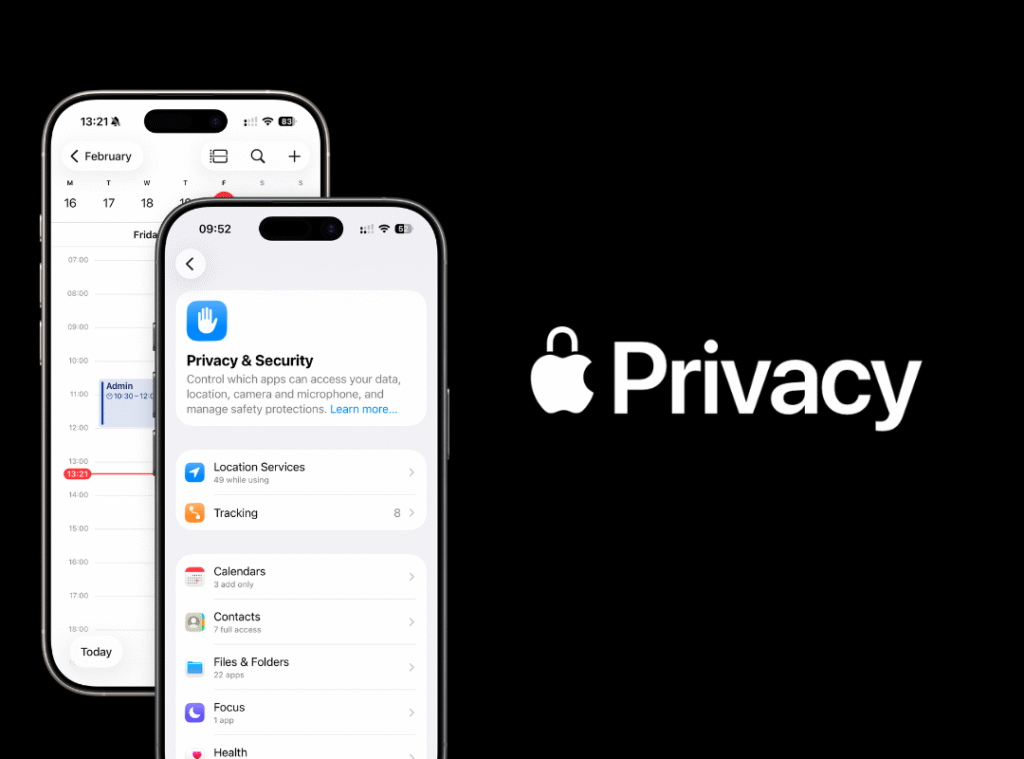
Apple’s approach to AI in 2026 centers around a privacy-first architecture. Many core AI functions are handled locally on the iPhone’s chip. When complex queries require server-side computing power, architectures like Private Cloud Compute ensure that personal data is never stored, indexed, or made accessible to third-party developers.
When selecting third-party AI applications from the App Store, prudent users should consider several best practices:
- Review Data Policies: Opt for developers who explicitly state that user inputs are not utilized to train foundation models.
- Manage App Permissions: Limit access to your full photo library or contact list, utilizing iOS’s built-in “Limited Access” permissions whenever possible.
- Understand Cloud Dependencies: Be aware of whether an app processes data locally on your device or transmits sensitive documents to external cloud servers.
Essential Strategies for Getting the Most Out of Mobile AI
To truly maximize the value of AI applications on your iPhone, moving past basic usage habits is essential.
Master the Art of Contextual Prompting
AI tools thrive on specificity. Instead of typing “Write an email about a late project,” provide explicit context: “Draft a concise, polite email to my client explaining that the website design update will be delayed by two days due to server migration. Keep the tone professional and offer a phone call tomorrow.”
Leverage iOS Automation and Shortcuts
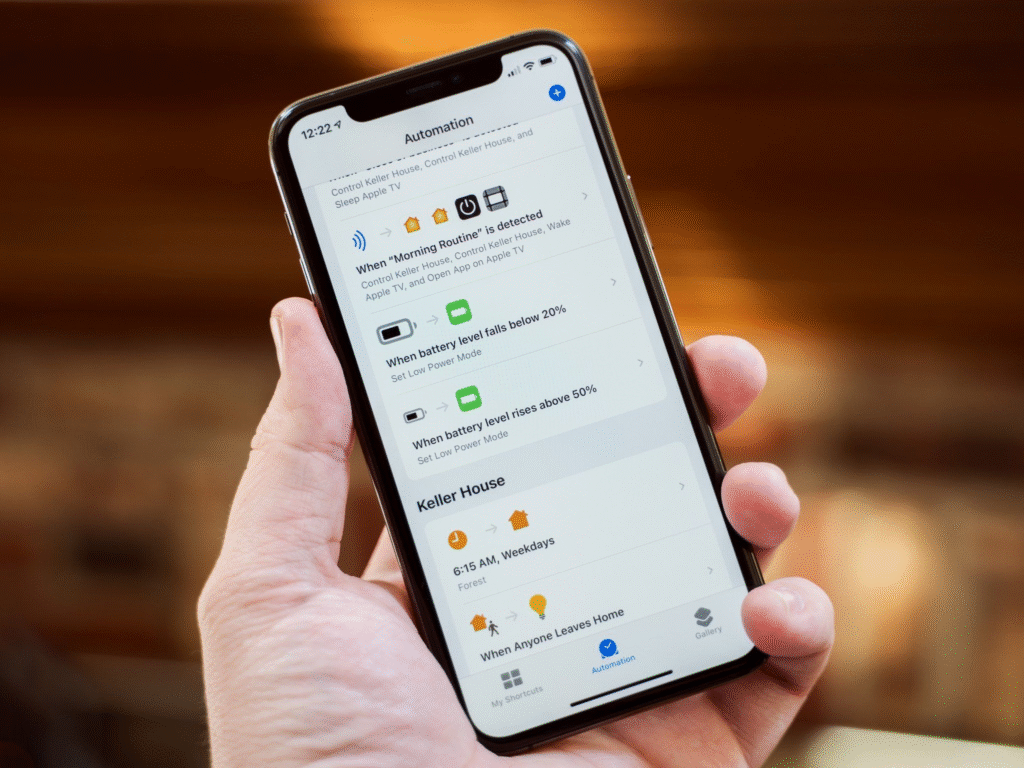
Combine the power of AI with Apple’s native Shortcuts app. You can build custom workflows that capture a voice memo, send the audio file to an AI app for transcription and summarization, and automatically save the resulting action items directly into your preferred task manager—all triggered by a single tap or Siri command.
Maintain Human Oversight and Fact-Checking
While mobile AI tools are exceptionally capable, they remain probability-based systems that can occasionally generate incorrect facts or subtle hallucinations. Always verify critical data points, review financial calculations, and proofread important communications before pressing send. AI should be treated as an elite assistant, but final editorial control remains firmly in human hands.
The Horizon: What the Future Holds for iPhone Intelligence
The relationship between the iPhone and artificial intelligence is entering a brand-new phase. We are rapidly moving away from a paradigm where users explicitly open separate apps to execute individual tasks. Instead, mobile operating systems are evolving into unified, ambient intelligence layers that run quietly in the background.
Future developments will focus on proactive agentic capabilities—AI systems that not only answer questions but autonomously perform multi-step real-world actions across multiple apps with your permission. Imagine telling your phone, “Book a table for four at an Italian restaurant near the theater on Friday at 7 PM and send calendar invites to the group,” and watching the OS coordinate reservation systems, maps, and messaging natively.
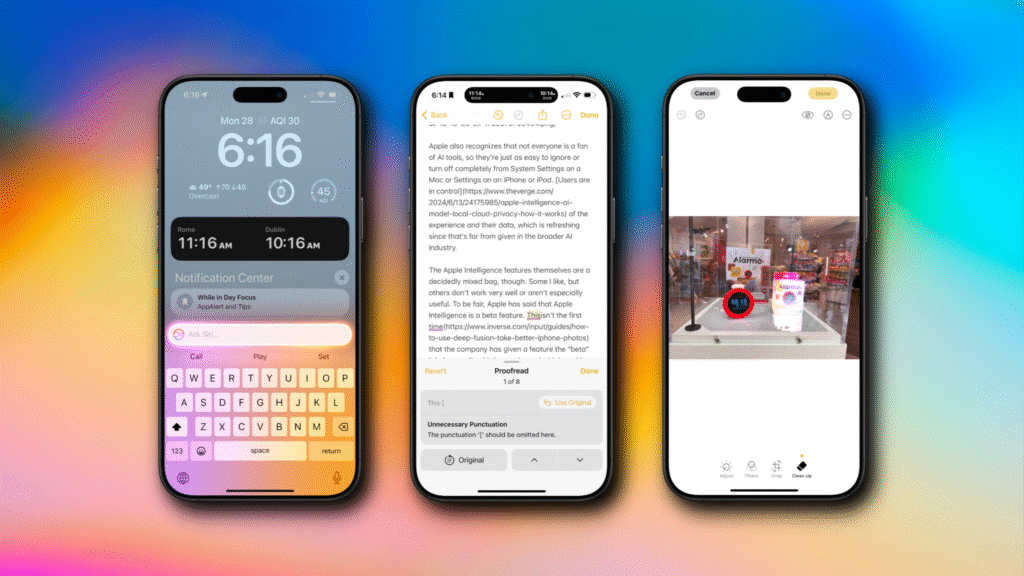
By carefully selecting and mastering the best AI applications available today, you transform your iPhone from a passive device into a powerful engine for productivity, creative expression, and effortless daily living.
FAQ’S
1. What are AI tools for iPhone?
AI tools help with writing, editing, productivity, creativity, and everyday tasks on your iPhone.
2. Are AI apps free to use?
Many AI apps offer free versions, while advanced features may require a subscription.
3. Can AI apps improve productivity?
Yes, they can automate tasks, organize information, and help you work more efficiently.
4. Do AI apps require an internet connection?
Some basic features work offline, but most AI-powered functions require internet access.
5. Which AI app is best for iPhone users?
The best app depends on your needs, whether it’s for writing, photo editing, productivity, or learning.