
Artificial Intelligence is no longer just a buzzword in tech—it has quietly become a daily companion for developers around the world. From writing cleaner code to catching bugs early and even explaining complex logic, AI coding tools are reshaping how software is built. I’ve spent time exploring several of these tools, and what stands out is not that they replace developers, but that they make developers faster, more confident, and more creative.
In this blog, I’ll walk you through some of the most practical AI coding tools available right now, explain how they actually help in real-world development, and share why every developer—beginner or experienced—should consider using them.
Why AI Coding Tools Matter Today
Coding today is about more than just typing lines of code. Developers juggle tight deadlines, complex frameworks, constant updates, and the pressure to deliver quality software quickly. AI tools step in as smart assistants that help reduce repetitive tasks, suggest better solutions, and save valuable time.
Instead of spending hours debugging a simple mistake or searching for syntax online, AI can instantly offer suggestions and explanations. This allows developers to focus more on problem-solving and building meaningful features.
GitHub Copilot – Your Intelligent Coding Partner

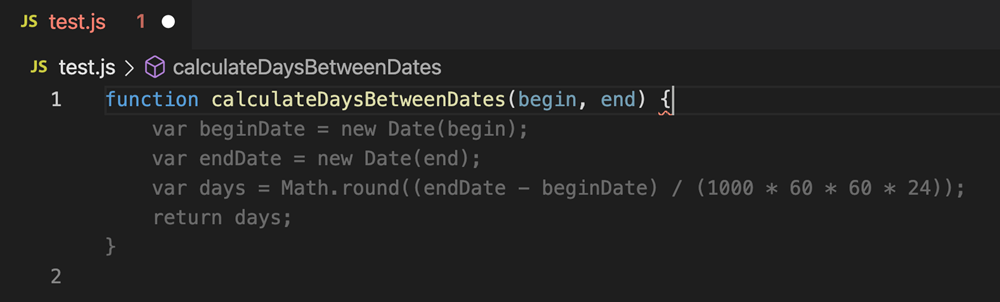
GitHub Copilot is one of the most well-known AI coding tools, and for good reason. Built using OpenAI technology, it works directly inside popular code editors like Visual Studio Code.
As you start typing, Copilot predicts what you’re about to write, offering full lines or even entire functions. It understands context surprisingly well, especially in languages like JavaScript, Python, and TypeScript. Whether you’re building an API, writing tests, or handling repetitive boilerplate code, Copilot feels like a second pair of hands.
Many developers appreciate how it speeds up development without disrupting their existing workflow. You stay in control, while Copilot handles the heavy lifting.
ChatGPT – The All-Purpose Coding Assistant

ChatGPT has become a favorite tool among developers for tasks that go beyond simple code completion. It’s especially useful when you’re stuck.
You can ask ChatGPT to:
- Explain a confusing block of code
- Debug an error and suggest fixes
- Convert code from one language to another
- Generate logic for features or algorithms
What makes it powerful is its conversational approach. You can ask follow-up questions, request improvements, or explore alternate solutions. For learners, it feels like having a patient mentor available 24/7.
Tabnine – Privacy-Focused AI Code Completion

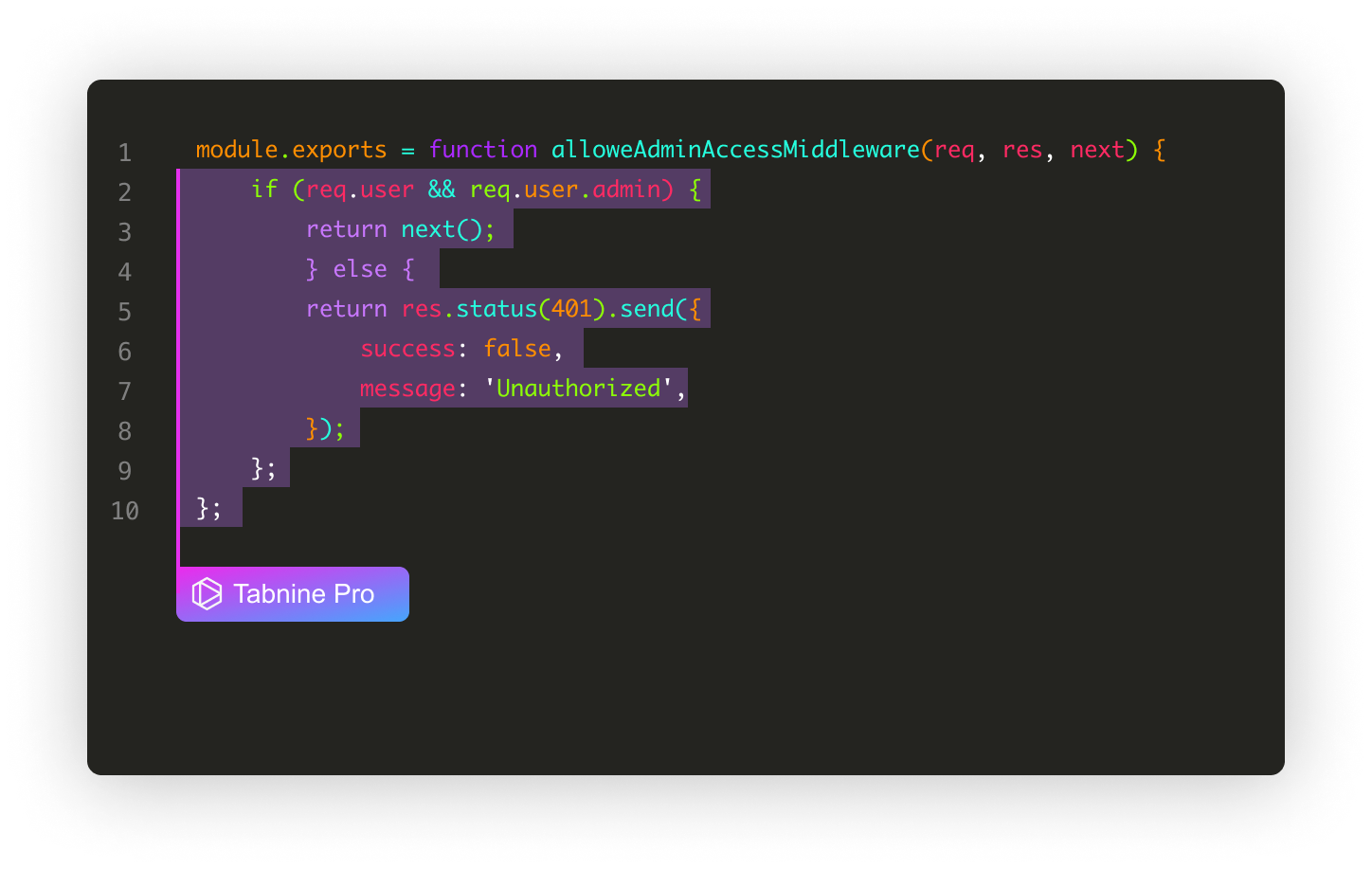
Tabnine is an AI coding assistant designed with performance and privacy in mind. Unlike some tools that rely heavily on cloud processing, Tabnine offers local AI models as well, making it a strong choice for teams working on sensitive codebases.
It supports multiple programming languages and integrates smoothly with popular IDEs. Developers often highlight its speed and accuracy, especially for completing commonly used patterns and functions.
If you’re working in an enterprise environment or simply value data privacy, Tabnine is worth exploring.
Amazon CodeWhisperer – Built for Cloud Developers

What sets it apart is its focus on best practices for cloud development. It can suggest secure coding patterns and even highlight potential risks in your code. For developers building cloud-native applications, this tool feels like a built-in guide for writing safer, cleaner code.

Amazon CodeWhisperer is particularly useful for developers working with AWS services. It provides real-time code suggestions while also checking for security vulnerabilities.
What sets it apart is its focus on best practices for cloud development. It can suggest secure coding patterns and even highlight potential risks in your code. For developers building cloud-native applications, this tool feels like a built-in guide for writing safer, cleaner code.
Replit Ghostwriter – Brainstorm, Code, and Debug Faster


Replit Ghostwriter shines in collaborative and fast-paced coding environments. Whether you’re prototyping a small project or working on a shared codebase, Ghostwriter helps with generating code, explaining errors, and suggesting improvements.
It’s particularly popular among students and indie developers because of how beginner-friendly it feels. You can write, test, and deploy code—all in one place—with AI assistance guiding you along the way.
How to Use AI Coding Tools the Right Way
While AI tools are powerful, they work best when used thoughtfully. The most successful developers treat AI as a helper, not a decision-maker. Reviewing AI-generated code, testing thoroughly, and understanding what the tool suggests is still essential.
AI can boost productivity, but learning the fundamentals of programming remains important. When you combine solid coding knowledge with smart AI usage, the results can be impressive.
The Future of Coding with AI
AI coding tools are evolving rapidly. What we’re seeing now is just the beginning. In the future, these tools will likely become even better at understanding project context, architecture, and coding styles.
Rather than replacing developers, AI is becoming a reliable teammate—one that handles routine tasks so humans can focus on creativity, strategy, and innovation.
Final Thoughts
AI coding tools are no longer optional extras; they are becoming essential parts of a modern developer’s toolkit. Whether you’re a beginner learning your first language or a professional managing large projects, these tools can help you code smarter, faster, and with more confidence.
If you haven’t tried AI coding tools yet, now is the perfect time. Start small, explore what works for you, and let AI support—not replace—your development journey.
The information provided in this blog is for general informational and educational purposes only. The AI coding tools mentioned are based on personal research and publicly available features at the time of writing. This content does not constitute professional, technical, or commercial advice.
While every effort has been made to ensure accuracy, tool features, pricing, and performance may change over time. Readers are encouraged to review official documentation and conduct their own testing before integrating any AI tools into personal or professional projects.
#AICoding #CodingWithAI #DeveloperTools #ProgrammingLife #AIForDevelopers #CodeSmarter #Anslation #Carrerbook #TechInnovation #SoftwareDevelopment #AIDevelopment #CodingTools #FutureOfCoding #TechTrends #WebDevelopment #AppDevelopment #ArtificialIntelligence #DeveloperCommunity