

In today’s fast-paced digital world, productivity is no longer about working harder—it’s about working smarter. Artificial Intelligence (AI) has become a powerful tool that helps individuals, professionals, and businesses save time, reduce effort, and achieve more in less time. From automating routine tasks to improving focus and decision-making, AI is transforming the way we work.
In this blog, we’ll uncover practical AI productivity secrets that can help you do more in half the time—without burnout.
What Is AI Productivity?
AI productivity refers to using artificial intelligence tools and technologies to automate tasks, optimize workflows, and improve efficiency. These tools analyze data, learn from behavior, and perform tasks faster and more accurately than humans.
Instead of spending hours on repetitive work, AI allows you to focus on creativity, strategy, and high-impact tasks.
Why AI Is a Game-Changer for Productivity

AI productivity tools offer several advantages:
- Saves Time: Automates repetitive and manual tasks
- Reduces Errors: Improves accuracy and consistency
- Improves Focus: Eliminates distractions and task overload
- Enhances Decision-Making: Provides data-driven insights
- Scales Effort: Helps individuals and teams accomplish more with less effort
Whether you are a student, freelancer, content creator, or business owner, AI can dramatically increase your efficiency.
AI Productivity Secrets You Need to Know
1. Automate Repetitive Tasks

One of the biggest productivity killers is repetitive work like data entry, email sorting, scheduling, and reporting. AI tools can automate these tasks in seconds.
Examples:
- Email filtering and smart replies
- Automated scheduling and reminders
- Invoice generation and expense tracking
By automating small tasks, you save hours every week.
2. Use AI for Smarter Planning & Time Management
AI tools can analyze your work patterns and suggest the best time to complete important tasks.
How AI helps:
- Prioritizes tasks based on urgency
- Suggests realistic deadlines
- Helps you avoid overloading your schedule
This leads to better time management and reduced stress.
3. Boost Focus with AI-Powered Task Management

AI task managers help you stay focused by breaking big goals into smaller, actionable steps.
Benefits include:
- Clear daily to-do lists
- Smart task reminders
- Progress tracking
Instead of feeling overwhelmed, you stay organized and motivated.
4. Create Content Faster Using AI
Content creation is time-consuming, but AI tools can speed up the process without sacrificing quality.
AI can help with:
- Blog outlines and drafts
- Social media captions
- Email newsletters
- Video scripts and ideas
This allows creators and marketers to publish consistently while saving time.
5. Improve Communication with AI

Miscommunication wastes time. AI tools help improve clarity and speed in professional communication.
AI productivity benefits:
- Grammar and tone correction
- Smart meeting summaries
- Real-time transcription
This ensures faster collaboration and fewer misunderstandings.
6. Use AI for Research & Data Analysis
Research that once took hours can now be done in minutes with AI.
AI helps by:
- Summarizing long articles
- Analyzing trends and reports
- Extracting key insights
This is especially useful for students, analysts, writers, and decision-makers.
7. Reduce Decision Fatigue with AI Insights
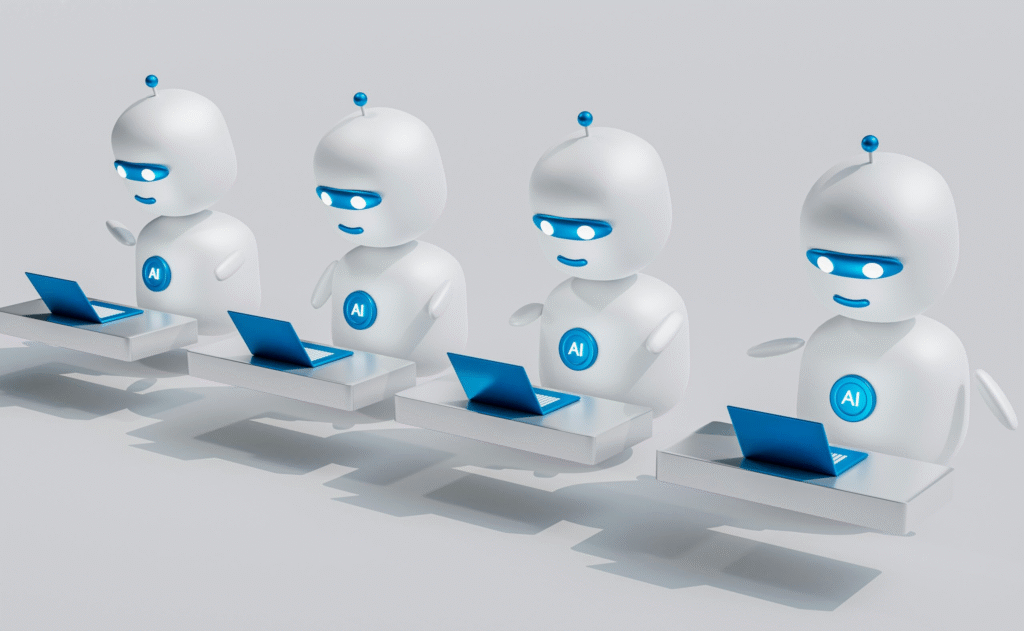
Making too many decisions drains mental energy. AI helps by offering data-driven recommendations.
Examples:
- Product suggestions
- Performance insights
- Workflow improvements
With fewer decisions to make, you stay focused on what truly matters.
Best Areas Where AI Saves the Most Time
AI productivity tools are most effective in:
- Task management
- Content creation
- Customer support
- Data analysis
- Scheduling and planning
- Email and communication
Using AI in these areas can easily cut your workload in half.
How to Start Using AI for Productivity

If you’re new to AI, start simple:
- Identify tasks that consume the most time
- Choose one AI tool for that task
- Learn basic features and automation
- Gradually expand usage across workflows
Common Myths About AI Productivity
- “AI will replace my job” – AI supports humans, not replaces them
- “AI tools are complicated” – Most tools are beginner-friendly
- “AI reduces creativity” – AI enhances creativity by saving time
Understanding these myths helps you adopt AI with confidence.
The Future of Productivity Is AI
AI is not a trend—it’s the future of work. As AI tools become more advanced, productivity will no longer depend on long hours but on smart systems. Those who learn to use AI today will have a strong advantage tomorrow.
Final Thoughts
AI productivity secrets are simple: automate what slows you down, focus on what matters most, and let intelligent tools handle the rest. By using AI effectively, you can do more in half the time—without stress, burnout, or overworking.
The information provided in this blog is for educational and informational purposes only. While we strive to keep the content accurate and up to date, we make no guarantees of completeness, reliability, or accuracy regarding the use of AI tools or productivity methods discussed.
Any actions you take based on the information in this article are strictly at your own risk. The use of AI tools may vary depending on individual needs, skills, and circumstances. We do not endorse or promote any specific AI software, tool, or service unless explicitly stated.
This blog does not provide professional, legal, financial, or business advice. Readers are encouraged to conduct their own research or consult with qualified professionals before implementing any AI-based productivity solutions
#AIProductivity #ArtificialIntelligence #ProductivityHacks #WorkSmarter #AIAutomation #TimeManagement #SmartWork #DigitalProductivity #AITools #FutureOfWork #EfficiencyTips #WorkFromHome #ContentCreators #BusinessGrowth #Anslation #Carrerbook #TechTrends #AutomationTools #AIForWork #ProductivityTips #SuccessMindset #DoMoreInLessTime