
The world of software development is changing faster than ever. AI is no longer just an optional tool—it’s becoming a core part of how modern developers write, test, and optimize code. From speeding up development to catching bugs in real time, AI-powered coding tools are reshaping the workflow of programmers across every industry.
Whether you’re a beginner learning your first language or an experienced engineer building large-scale systems, AI can help you code smarter, faster, and with fewer errors. This guide breaks down everything you need to know to get started.
1. What Is AI-Powered Coding?
AI-powered coding refers to the use of artificial intelligence to assist developers in writing, understanding, maintaining, and improving code. These tools analyze large datasets of programming patterns and help you:
- Generate code automatically
- Understand complex logic
- Fix bugs instantly
- Optimize performance
- Automate repetitive tasks
Think of AI as a super-fast, always-available coding partner that never gets tired.
2. How AI Helps Developers Every Day


Faster Code Generation
AI models can write functions, classes, and entire modules in seconds. Instead of wasting time on repetitive logic, you focus on creativity and architecture.
Automatic Bug Detection
AI tools highlight bugs proactively—sometimes before you even run the program.
Smart Code Recommendations
From method suggestions to framework selection, AI helps you make faster technical decisions.
Real-Time Documentation
AI can explain code, generate documentation, and even convert complex logic into plain English.
Refactoring Made Easy
Legacy code becomes easier to maintain as AI offers cleaner, optimized alternatives.
3. Best AI Tools Every Modern Developer Should Use
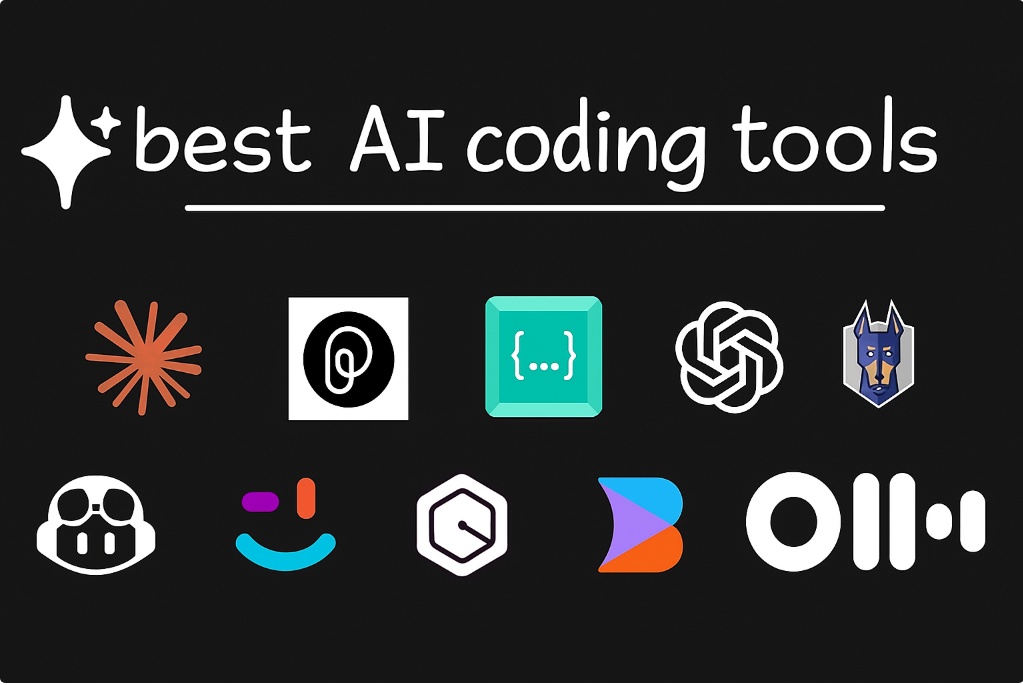
1. GitHub Copilot
A coding companion that predicts and writes code as you type. It works across multiple languages and integrates directly into VS Code, Neovim, and JetBrains.
2. ChatGPT for Developers
Ideal for:
- Debugging
- Code explanation
- Generating APIs
- Learning new languages
- Writing documentation
3. Tabnine
A privacy-friendly AI coding tool that generates code locally for secure environments.
4. Replit Ghostwriter
Perfect for beginners and small projects. It offers in-browser coding assistance, debugging, and explanations.
5. Amazon CodeWhisperer
A great tool for cloud developers working with AWS, giving specialized suggestions tied to cloud services.
4. What Skills You Still Need (Even With AI)
AI won’t replace developers—it will empower them. But core developer skills remain essential:
Logical Thinking
AI can write code, but only humans understand why it needs to be written.
Problem-Solving
You need to define the problem clearly for the AI to generate accurate results.
Understanding of Algorithms
AI helps you write code, but it can’t fully design system architecture for you.
Debugging Mindset
AI suggests solutions, but you must verify correctness and security.
Creativity and Innovation
AI automates tasks; humans innovate solutions.
5. How to Start Coding With AI (Step-by-Step Guide)

Step 1: Choose Your AI Tool
Start with a beginner-friendly tool like GitHub Copilot or ChatGPT.
Step 2: Integrate It Into Your IDE
Install the extension in VS Code, PyCharm, Replit, or JetBrains.
Step 3: Start Small
Ask the AI to:
- Generate a simple function
- Write boilerplate code
- Help understand existing logic
Step 4: Use AI to Learn New Languages
Ask AI:
- “Explain this code in simple words.”
- “Convert this Python code to JavaScript.”
Step 5: Review Everything
Never copy-paste blindly. Treat AI suggestions as a starting point.
6. Real-World Use Cases of AI in Programming
Web Development
AI writes frontend and backend code, builds UI components, and even generates responsive layouts.
Mobile App Development
AI generates Swift, Kotlin, and Flutter code more efficiently.
Data Science
AI assists with model building, cleaning datasets, and visualization.
Cybersecurity
AI identifies vulnerabilities faster than manual testing.
DevOps
CI/CD scripts, Dockerfiles, and deployment commands become easier to automate.
7. Pros & Cons You Should Know
Pros
- Faster productivity
- Fewer errors
- Great learning support
- Saves mental load
- Improves code quality
Cons
- Over-reliance can reduce skill growth
- Occasionally produces inaccurate code
- Needs human review
- Licensing or privacy restrictions may apply
8. The Future of AI in Coding

AI will continue to evolve into a co-developer, capable of handling:
- Automated debugging
- Full project scaffolding
- Smart system architecture proposals
- Performance optimization
- Natural language → code pipelines
But humans will always lead creativity, logic, security, and innovation.
Conclusion
AI-powered coding isn’t about replacing developers—it’s about giving them superpowers. With the right tools and habits, every developer can code faster, learn quicker, and innovate more confidently.
If you’re not using AI yet, now is the perfect time to start. The sooner you adopt it, the more future-ready your skills will become.
The information provided in this blog is for educational and informational purposes only. While every effort has been made to ensure accuracy, the tools, features, and technologies discussed may change over time. Readers should independently verify any technical details or recommendations before implementing them in real-world projects. The author is not responsible for any errors, omissions, or outcomes resulting from the use of the information provided in this content. Use AI tools and coding practices responsibly and at your own discretion.
#AICoding #AIDevelopment #AIProgramming #CodingWithAI #SoftwareDevelopment #Anslation #Carrerbook #TechTrends #ProgrammersLife #MachineLearning #AIRevolution #FutureOfCoding #DevelopersCommunity #TechInnovation #AITools #CodeFaster #DigitalTransformation