
Artificial intelligence has quickly become one of the biggest talking points in the tech world. From generating images to writing content, it feels like AI tools are everywhere. But when it comes to something as technical as coding, many people still wonder: Is AI actually useful for developers, or is it just overhyped?
The truth is somewhere in the middle. AI isn’t magic, and it’s not replacing real developers anytime soon. But it is becoming a powerful companion that can make coding faster, easier, and more enjoyable—if you use it the right way.
Let’s take a deeper look at how AI helps, where it struggles, and what this means for the future of programming.
AI Makes Coding Faster, Not Automatic
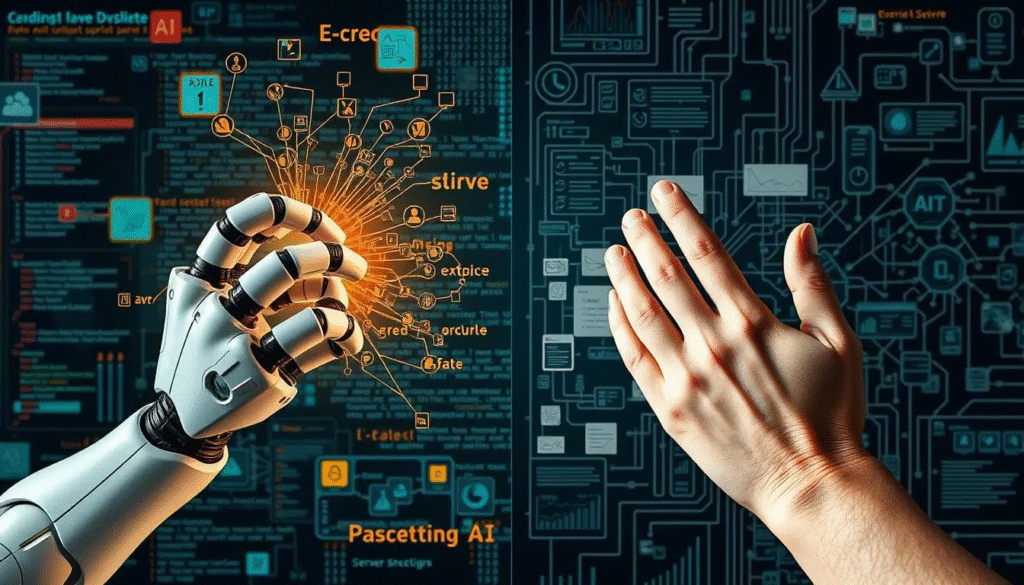
One of the biggest misconceptions is that AI can build entire apps on its own. While tools can generate code blocks or even full functions, they still need human guidance. Think of AI as an assistant that follows your lead. You define the logic, structure, and goals—and AI fills in the smaller details.
For a beginner, this means you get instant examples and explanations that would normally take hours to find.
For an experienced developer, it speeds up repetitive work and boosts productivity.
AI doesn’t eliminate your role. It makes you faster.
How AI Actually Helps Developers (With Real-World Examples)
Let’s break down the areas where AI genuinely makes a difference.
1. Generating Code Instantly
When you’re stuck or trying to remember syntax, AI can generate snippets in seconds.
For example:
You can ask, “Write a React component for a login form,” and AI gives you a working sample immediately.
This removes friction and keeps your momentum going.
2. Debugging in a Smarter Way
Debugging is one of the most frustrating parts of programming. AI helps by:
- pointing out mistakes
- explaining errors in simple language
- suggesting clean fixes
- spotting patterns you might miss
Instead of spending an hour on a missing bracket, you can let AI do the detective work.
3. Learning New Languages and Frameworks
Starting something new can feel overwhelming. But AI turns it into a guided learning experience.
You can ask things like:
- “Explain this function step-by-step.”
- “How does async/await work?”
- “What’s the fastest way to learn Node.js?”
AI becomes a personal tutor that adjusts to your pace.
4. Automating Repetitive Tasks
Developers often spend time on things that don’t require creativity, such as:
- writing boilerplate code
- generating documentation
- creating test cases
- formatting code
- refactoring old files
AI can handle these tasks, letting you focus on logic, problem-solving, and big-picture architecture.
5. Improving Code Quality
Cleaner code leads to fewer bugs and easier maintenance. AI tools can:
- suggest better variable names
- improve readability
- optimize loops
- recommend performance upgrades
- enforce best practices
It’s like having a senior developer review your work every day.
6. Helping With Project Planning
Some advanced tools can even translate your ideas into rough code structures or flowcharts.
You can describe what you want:
“Build an app that tracks expenses and generates graphs.”
AI gives you:
- backend suggestions
- UI components
- database schema ideas
- possible APIs
It won’t build the whole app, but it gives you a clear starting direction.
Where AI Still Struggles

Even with all the benefits, AI has limitations developers should know.
1. It Can Produce Wrong or Unsafe Code
AI doesn’t fully understand your project context.
Sometimes it generates:
- outdated code
- insecure logic
- broken functions
- unnecessary complexity
You must still validate its output.
2. It Can’t Replace Real Problem-Solving
AI doesn’t think the way humans do.
It can’t handle:
- complex architecture decisions
- real-time tradeoffs
- deep optimization
- full product strategy
These require experience, judgement, and creativity.
3. It Lacks Understanding of Your Exact Project
A human developer knows:
- the business logic
- long-term goals
- internal structure
- team standards
AI only sees the prompt you give it, so its answers can miss the bigger picture.
4. Privacy and Security Risks
Pasting sensitive data into public AI tools can create risks.
Companies often use private AI models for this reason.
So, Can AI Help You Code? The Honest Answer
Yes—AI can help you code in a meaningful, practical way.
But it doesn’t replace you. It enhances you.
Here’s the simplest way to put it:
- Beginners learn faster with AI.
- Students understand concepts more clearly.
- Freelancers complete projects quicker.
- Professional developers cut down repetitive tasks.
- Teams ship features faster with AI support.
You still need logic, creativity, and understanding to build real software. AI just lightens the load.
The Future of Coding With AI

AI-assisted coding is becoming the new normal.
We’ll see more tools that:
- generate entire modules
- understand project structures
- help with architecture decisions
- maintain code automatically
- improve performance without manual intervention
But developers won’t disappear. They’ll evolve into AI-augmented problem-solvers.
The real winners will be developers who learn how to use AI effectively—not those who fear it.
Final Thoughts
AI is helping millions of people code better, faster, and with less frustration. It’s not perfect, and it won’t replace human developers, but it’s becoming an essential tool in modern programming.
If you learn how to use AI wisely, it becomes a powerful extension of your skills.
The future isn’t about choosing between humans and AI.
It’s about using both together—and building better things.
The information in this blog is based on general knowledge, personal insights, and publicly available sources about AI and coding tools. While every effort has been made to ensure accuracy, AI technologies evolve quickly, and features may change over time. This content should not be taken as professional or technical advice. Always test and review AI-generated code before using it in real projects or production environments. The author is not responsible for any errors, issues, or outcomes that may result from relying on the information or examples shared in this article.
#AI #CodingWithAI #AIForDevelopers #ProgrammingTips #TechTrends #CodeFaster #AICodingTools #Anslation #Carrerbook #MachineLearning #SoftwareDevelopment #FutureOfCoding #DevCommunity #LearnToCode #TechInsights